Writing “create a sales agent”
Correct it
Use the complete brief so the draft begins with the right audience, result, facts, outputs, and boundaries.
Give HeyRik a clear brief, review the generated agent, and keep it in Draft while you configure it.
You will create one saved agent, confirm that it remains in Draft, and open its builder. This lesson stops before detailed configuration so generation and review remain separate decisions.
Use the workspace that will own this agent and its call data.
The page shows a description field, Enhance with AI, Start from scratch, Generate, optional templates, and existing agents below.
Your existing agents appear below it. Keep this exercise separate from any live agent.
You need the job, audience, success, languages, outputs, source boundary, and human fallback from Lesson 1.
Describe who the agent helps, what it should achieve, and the boundaries it must respect.
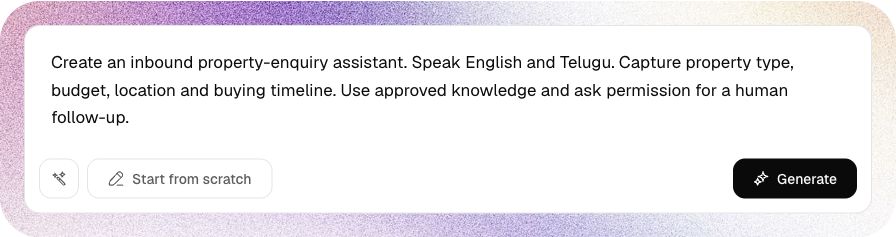
Create an inbound property-enquiry assistant for Acme Properties.

It should speak English and Telugu in a warm, concise style and ask one
question at a time. Its only job is to capture and confirm property type,
budget, preferred location, buying timeline, and permission for a human
property expert to follow up.

It must use approved attached knowledge or a configured tool for projects,
prices, amenities, and availability. It must never invent those facts, promise
investment returns, collect passwords or payment credentials, or claim that a
follow-up was booked when no action confirmed it.

If the caller asks for a person or needs unsupported information, transfer
when enabled; otherwise offer a human follow-up. It must handle corrections,
refusal, silence, wrong person, and do-not-contact requests safely.Click the wand button labeled Enhance with AI only if you want HeyRik to expand the brief in the field. Read the expanded text before generating. Enhancement changes the brief; it does not approve it.
The dashboard saves a usable Draft first, then enriches it. Wait for the preparation state to finish before opening it.
The description clears and a Preparing card appears in the agent list while the background work runs.
Do not open or duplicate the agent while the card says Preparing.
The builder opens on Assistant Details.
The header Live control must remain off while you review and test.

Start from scratch creates a blank saved Draft and opens the builder. Use it when you want to write every field manually. It does not run the AI generation described in this lesson.
Open Assistant Details to review the voice, languages and instructions. Your agent name and selections will differ from this example.
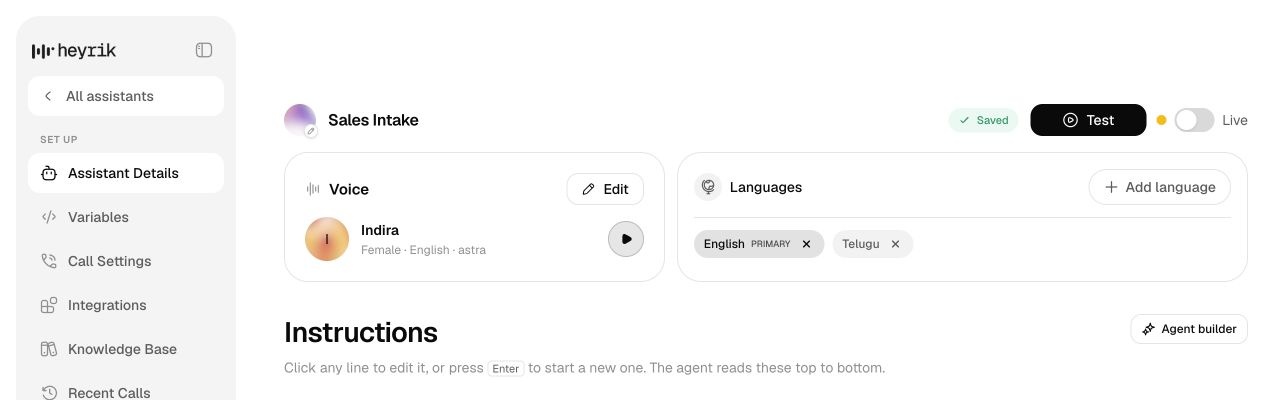
Hello, thank you for calling Acme Properties. How may I help with your property enquiry?Do not fix detailed content yet. Confirm persistence, identity, and readiness for the configuration lesson.
Generation is fast, which makes it easy to mistake visible output for validated behavior.
Use the complete brief so the draft begins with the right audience, result, facts, outputs, and boundaries.
Treat enhanced text as a proposal; remove assumptions before generation.
Wait for the first job to finish and open its resulting card.
Keep Draft until all builder areas and difficult test scenarios pass.
Generation can describe behavior; you must attach sources and configure actions separately.
Create a separate Draft so testing cannot alter active customer behavior.
POST /agents/generate → POST /agentsOpen reference POST /agents/generate returns a draft configuration and saves nothing. Review the returned name, greeting, languages, prompt_sections, input variables, and extracted variables; then call POST /agents to create it. By contrast, the dashboard creates a saved Draft before enrichment so a failed enrichment does not discard the agent.